
Document Studio
Document Scanner Tutorial
Learn how to scan, enhance and prepare documents for clear digital copies and printing.
Core image and document editing operations are performed locally in your web browser. An active internet connection is required to load website pages, third-party libraries, and external resources.
SMART VLE TOOL was created with a simple idea: making everyday document and photo-related tasks easier.
Tasks such as ID card printing, document scanning and image compression are common requirements, but preparing files in the correct size, format and layout can take extra time.
Our website brings together useful online tools for these requirements. From preparing passport-size photographs and resizing images to improving scanned documents and arranging ID cards for printing, you can find practical features in one place.
Select any tool below to open it directly in your browser.
Explore the full workflow of each studio — from OpenCV quad perspective scanning to dual ID printing and precision KB image compression.
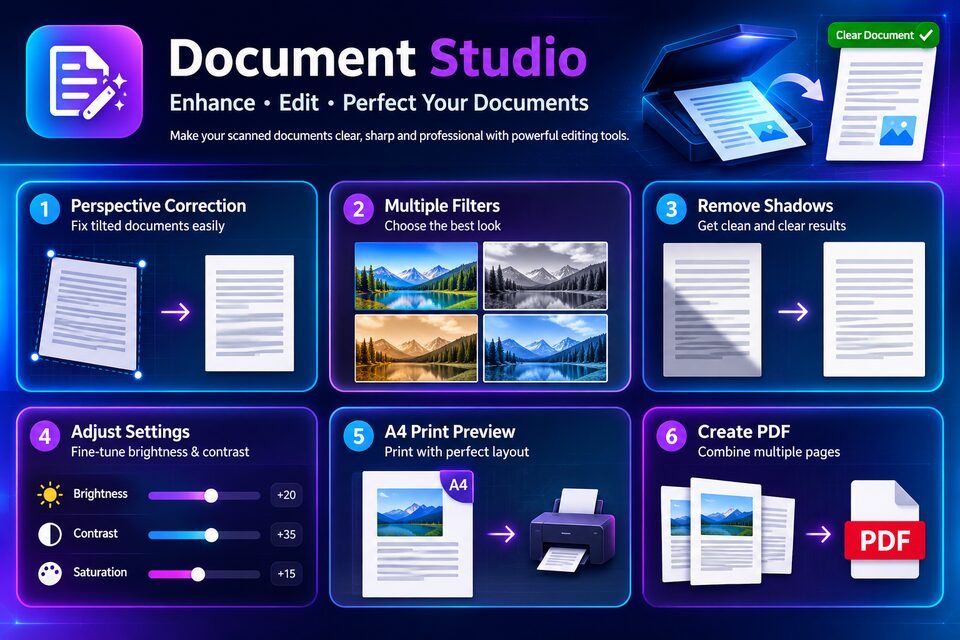
Transform camera-captured papers into crisp digital scans with real-time perspective correction and clean document filters.
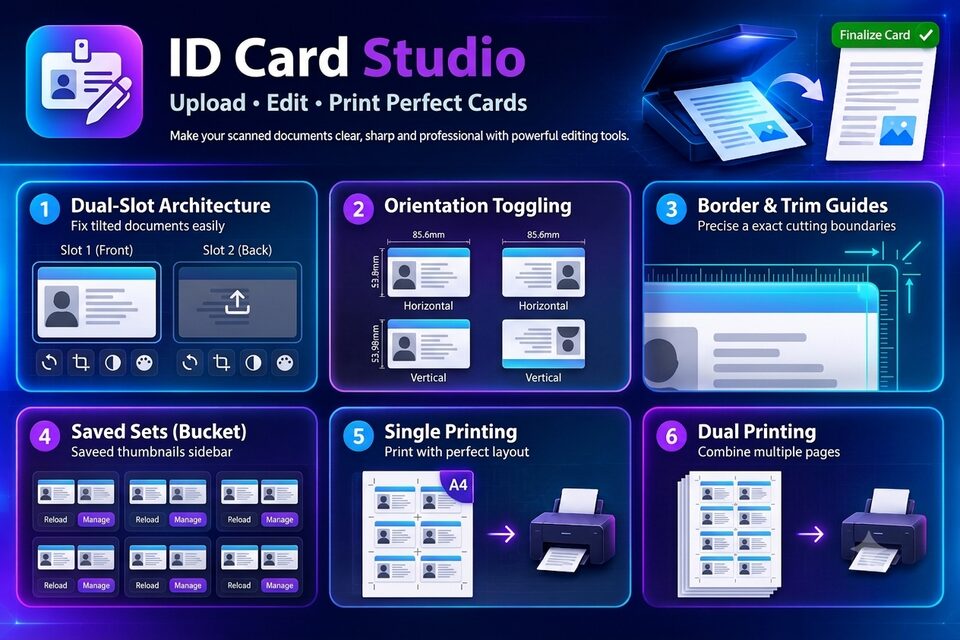
Designed specifically for dual-sided identity cards, badges, and licenses with ISO standard card sizing and cutting guidelines.
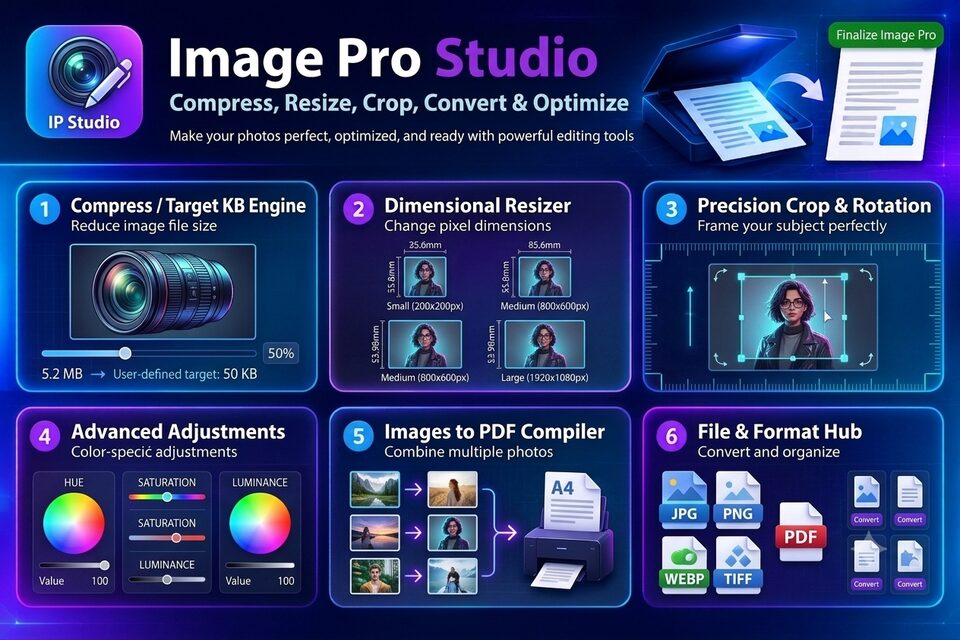
Local in-browser processing with target KB file size compression, dimensional resizing, precision cropping, color adjustments, and multi-page PDF watermarking.
Watch short step-by-step demonstrations of Document Studio, ID Card Studio, and the Image Editor.
Learn how to scan, enhance and prepare documents for clear digital copies and printing.
Learn how to upload, edit and prepare ID cards for accurate printing.
Learn how to resize, compress, convert and edit images using our online tools.
Learn how digital image filters, perspective transformations, and color tuners work to turn everyday photos into professional digital files.
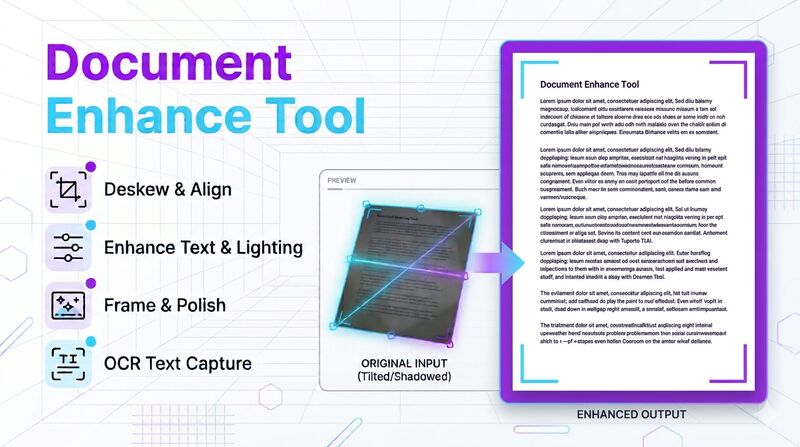
Document enhancement is the digital process of taking a photographed or scanned physical document and improving its visual clarity, geometric alignment, and contrast. When you take a photograph of a paper page using a smartphone camera, the image frequently suffers from optical problems: uneven lighting, harsh hand or device shadows, perspective keystoning (where the top of the page appears narrower than the bottom), paper creases, and yellowish backgrounds.
Digital document enhancement algorithms correct these defects systematically:
Using 4-point homography matrices calculated by OpenCV, skewed camera angles are mapped onto a perfectly straight, rectangular output view.
Calculates dynamic local luminance boundaries to convert background noise into pure clean white while preserving dark printed characters.
Estimates low-frequency ambient lighting variations across the paper surface and normalizes background brightness evenly.
Modern web applications provide fast, accessible utility without requiring bulky software installations or high-end computer hardware. Whether you are a student submitting academic certificates, an administrative professional handling legal paperwork, or an applicant uploading photos for government portals, having instant tools in the browser saves significant time:
Available on any desktop, laptop, or tablet with a modern web browser. No account creation, software licensing, or registration barriers.
Job applications, university admissions, and passport portals often specify file size limits (e.g. "between 50KB and 100KB"). Our tools offer target KB size settings.
Direct A4 preview canvas helps format ID cards and scanned forms to standard physical dimensions (such as ISO/IEC 7810 ID-1 cards).
Core image and document editing operations are performed locally in your web browser rather than sending your working files to remote editing servers.
Achieving the highest enhancement quality begins with capturing a clean source photo. Following these straightforward techniques ensures optimal enhancement:
Find clear, accurate answers about SMART VLE TOOL, browser-based processing, and how our image processing tools operate.
SMART VLE TOOL is an all-in-one web utility platform providing free-to-use online tools for scanned document enhancement, dual-slot ID card layout printing, image compression, resizing, format conversion, and multi-page PDF compilation.
Yes. Tools on SMART VLE TOOL are free to use with no subscription plans or account registrations required.
No. Core image editing, OpenCV calculations, and PDF generation are performed locally inside your web browser without uploading your edited files to a remote editing server.
You can click on the "Click or Drop Files" button in the tool sidebar or drag and drop files directly onto the viewport from your computer or phone. The tool accepts JPG, PNG, WEBP, BMP, and PDF files.
Yes. Document Studio provides interactive Contrast, Brightness, Saturation, and Sharpness tuning sliders that update the live preview in real time, making faint or faded text clear and legible.
Grayscale converts all colors into shades of gray (from 0 to 255 luminance levels), which preserves photographic shading and stamps. Black & White applies a threshold binary filter, converting every pixel into either pure white or solid black, which produces photocopy-style text clarity.
Yes. Clicking "Print A4 Sheet" opens an interactive A4 print canvas preview with a scale slider, allowing you to position and scale the document before triggering your computer's print dialog.
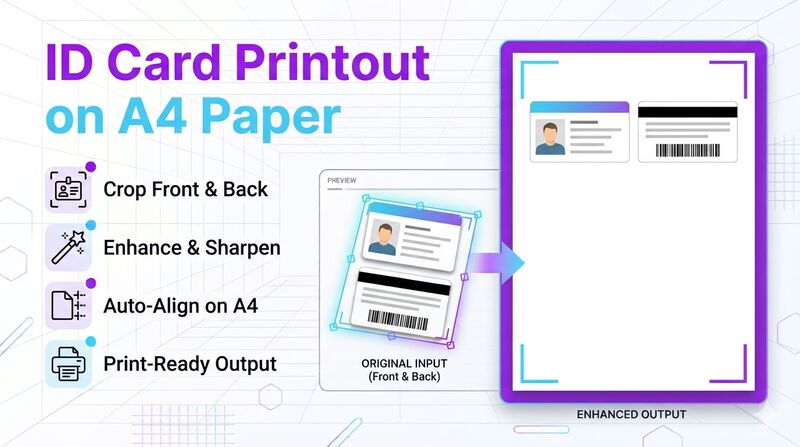
ID Card Studio provides two dedicated slots (Slot 1 for Front, Slot 2 for Back). You can crop each side from your uploaded photos and send them into the respective slots. The preview arranges them side-by-side or stacked on an A4 sheet with accurate ISO/IEC 7810 dimensions (85.6 × 53.98 mm) and cutting trim marks.
Yes. SMART VLE TOOL is fully responsive and supports touch gestures for panning, zooming, and dragging perspective corner handles on smartphones and tablets.
Yes. The Image Editor includes a Target Maximum File Size (KB) setting that adjusts compression quality and dimensions as needed to fit within your target KB limit.
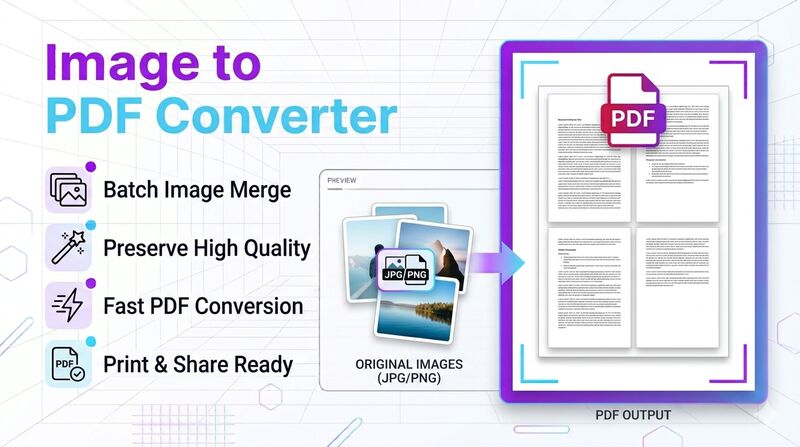
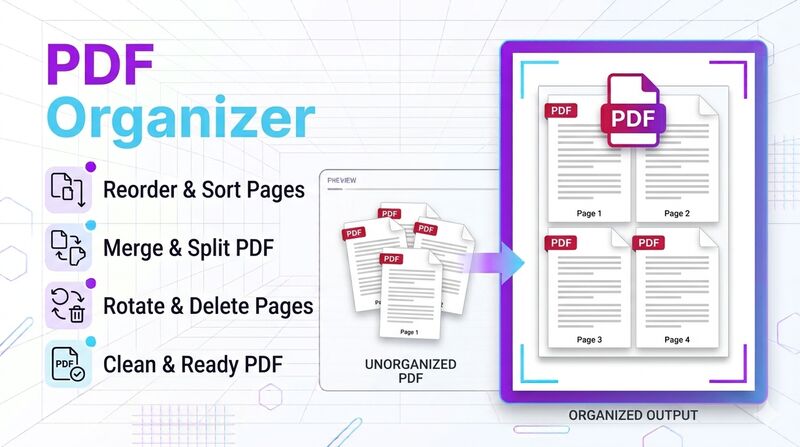
Document Studio brings three everyday document workflows into one browser-based workspace: Document Enhancer for straightening and cleaning photographed papers, Images to PDF for compiling multiple photos into a multi-page PDF, and PDF Optimizer for organizing pages and compressing PDF files. Core processing runs locally in your web browser without sending working files to an external editing server.
Learn how the three built-in tools — Document Enhancer, Images to PDF, and PDF Optimizer — work together for scanning, compiling, organizing, and compressing documents.
Document Studio combines three practical browser-based utilities in a single tabbed workspace so you can clean photographed pages, build PDFs from images, and organize or compress PDF files without switching websites:
Document Studio accepts the following input and output formats across its three tools:
Click to expand our step-by-step tutorial (Optional — tool is already available above)
Click "Click or Drop Files" in the left panel or drag files directly onto the workspace. You can upload single or multiple pages at once; each uploaded file appears in the Gallery strip on the right.
Select an image from the gallery. In the "Original" viewport, drag the 4 circular handles (Top-Left, Top-Right, Bottom-Right, Bottom-Left) to align exactly with the physical paper corners. The cyan dotted polygon marks the active crop zone.
If your photo was taken sideways or upside down, use the "Rotation" dropdown in the control panel to rotate 90°, 180°, or 270°.
Click "B/W" for crisp photocopy-style thresholding, "Grayscale" for smooth tonal shading (ideal for documents with stamps), "Color" to preserve color, or "Sharpen" for unsharp mask edge enhancement.
Click "Shadow: OFF" to toggle it ON for ambient shadow suppression. Fine-tune Contrast, Brightness, Saturation, and Sharpness sliders while watching the live output canvas update in real time.
Click "Print A4 Sheet" to open the interactive A4 preview with scale calibration, or click "Download Image" to save as high-res JPG/PNG/WEBP, or "Download PDF" to compile all gallery pages into a clean document.
Clear answers to common questions about document enhancement, privacy, and print scaling.
Document Studio uses OpenCV.js to calculate a projective homography matrix based on the four corner coordinates you position. It mathematically maps the irregular quadrilateral area into a perfectly rectangular, flat output image, eliminating perspective skew caused by tilted camera angles.
B/W thresholding evaluates local pixel luminance and converts every pixel into either pure white (background) or solid black (text), creating a clean photocopy effect. Grayscale preserves 256 levels of gray, retaining smooth photo shading, official stamps, and signatures.
No. Document Studio processes supported files locally in your web browser using HTML5 Canvas and OpenCV.js WebAssembly rather than uploading your working files to an external editing server.
Yes. Clicking "Print A4 Sheet" opens a calibrated 210 × 297 mm A4 preview canvas with an interactive scale slider, allowing you to position and size the document before triggering your browser's system print dialog.
Click the "Shadow: OFF" button in the Enhancement panel to turn Shadow ON. The shadow removal algorithm estimates low-frequency background gradients across the page and normalizes the background to uniform white.
Yes. Upload all your pages into the Gallery strip, adjust corners and filters as needed, and click "Download PDF". Document Studio will compile all enhanced pages sequentially into one downloadable PDF.
Discover other free browser utilities available on SMART VLE TOOL.
Frame front and back ID cards into standard ISO/IEC 7810 ID-1 dimensions with cutting trim marks for single or dual card printing on A4 sheets.
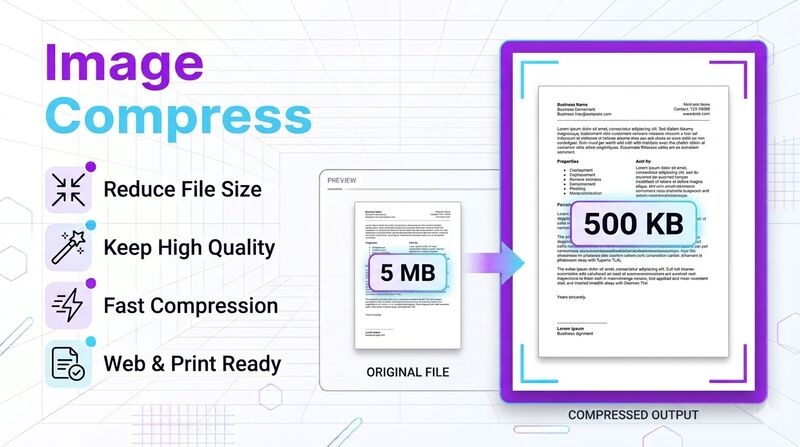
Compress images toward target KB limits, resize in pixels/inches/cm/mm, crop with angle leveling (-90° to +90°), convert formats, and watermark PDF pages.
Clean, crop, and align Front and Back ID card sides to exact CR80 card proportions on a single printable A4 layout sheet inside your browser.
Comprehensive guide to dual-slot card formatting, international dimensions, and print-ready calibration.
ID Card Studio provides an automated workflow to crop, enhance, and arrange two sides of an identity credential onto a calibrated A4 sheet. It features independent front (Slot 1) and back (Slot 2) positioning, true ISO/IEC 7810 ID-1 standard aspect ratio enforcement, cutting trim guidelines, and a saved bucket storage system for processing multiple identity cards in batch sessions.
Click to expand our step-by-step tutorial (Optional — tool is already available above)
Upload photos of both the front and back of your card by clicking "Click or Drop Files" or dragging files into the left upload zone. Both files will appear in the Gallery strip.
Select the front card photo in the gallery. Drag the 4 corner handles over the perimeter corners of the card. In the left panel, click "Send to Slot 1". The cropped card will appear in Slot 1 of the dual-slot preview canvas.
Select the back card photo in the gallery. Reposition the 4 corner handles over the back card's edges. Click "Send to Slot 2". Slot 2 now displays the back side in matching orientation.
Select "Horizontal (85.6 × 53.98 mm)" or "Vertical (53.98 × 85.6 mm)" in the "ID Orientation" dropdown. Keep "Include Border & Trim Marks" checked to print clean scissor cutting guidelines around each card.
If you are preparing cards for multiple individuals, click "Save Pair to Sets" to store the pair in the "Saved ID Sets" bucket. You can click on any saved set in the bucket to reload it instantly.
Click "Print Double Card" to arrange both sides onto standard A4 paper with calibrated physical dimensions. Alternatively, click "Print Single Card" if you only have one side. In the print dialog, ensure scale is set to 100%.
Common questions regarding identity card sizing, cutting marks, and print calibration.
According to the international ISO/IEC 7810 ID-1 standard, identification cards (including driving licenses, national identity cards, bank payment cards, and employee badges) have standard dimensions of 85.60 mm × 53.98 mm (3.370 in × 2.125 in). ID Card Studio scales and locks all crops precisely to this physical aspect ratio.
Yes. If you only assign an image to Slot 1, simply click "Print Single Card". The software will center the single card on an A4 sheet with cutting trim marks ready for printing.
Trim marks provide subtle outer bounding lines and corner crosshairs. When printed onto standard A4 paper, these marks indicate exactly where to align your scissors or paper trimmer, ensuring the final cut card fits standard plastic ID card holders and wallets.
No. Core cropping, dual-slot arrangement, and print layout generation are performed locally inside your web browser without sending your working card images to a remote editing server.
When the browser print dialog opens, set the paper size to A4, select 100% Scale (or "Actual Size"), and ensure "Fit to Printable Area" is disabled so the card prints at standard physical dimensions.
Discover other free browser utilities available on SMART VLE TOOL.
Transform mobile camera photos of contracts, certificates, and notes into clean, perspective-corrected A4 scans with shadow removal and B/W photocopier filters.
Compress images toward target KB limits, resize in pixels/inches/cm/mm, crop with angle leveling (-90° to +90°), convert formats, and watermark PDF pages.
Browser-based Image Editor featuring target KB compression, dimensional resizing, freeform and preset cropping, angle leveling (-90° to +90°), color adjustments, and multi-page PDF watermarking. Optimize images for online job applications, exam registrations, and official submissions with clear visual quality. For Images to PDF and PDF Optimization, use Document Studio.
Detailed breakdown of all 6 integrated browser image editing engines and technical specifications. Looking for Images to PDF or PDF Optimizer? Use Document Studio.
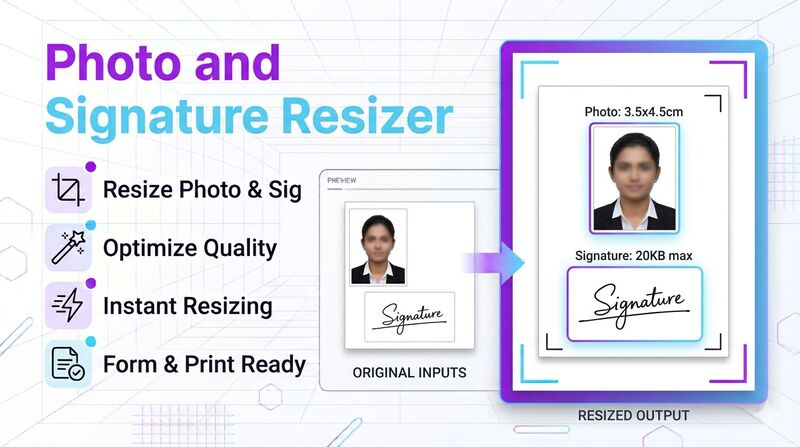
Helps reduce file sizes toward target limits (e.g. max 20 KB, 50 KB, 100 KB) required by competitive exams, government recruitment portals, and visa portals, balancing visual clarity with your target KB limit.
Change image dimensions using Pixels (px), Inches (in), Centimeters (cm), or Millimeters (mm). Features an aspect ratio lock to prevent distortion, along with DPI calculation for print readiness.
Interactive 8-handle crop container with aspect ratio presets (1:1 Square, 3.5:4.5 Passport/ID Photo, 2.5:3.5 Stamp), horizontal/vertical flip, and -90° to +90° fine angular leveling with ±1° step buttons.
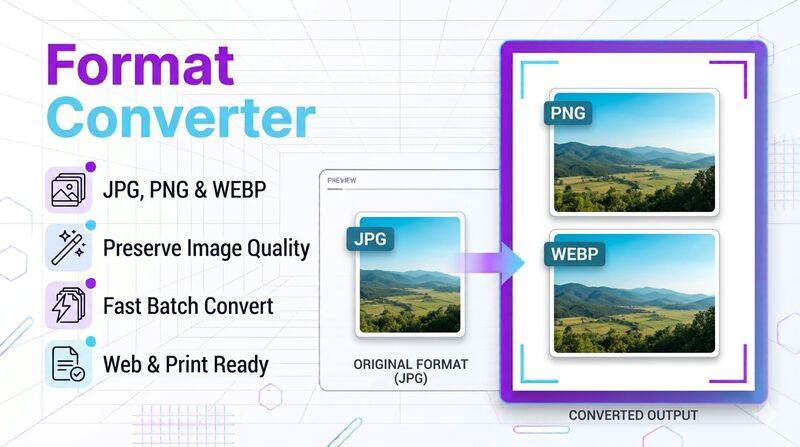
Convert images seamlessly between JPEG, PNG, WEBP, BMP, GIF, TIFF, ICO, and AVIF formats with custom quality controls and optional target file size clamping.
Fine-tune Brightness, Contrast, Saturation, and Hue Rotation sliders with instant live canvas preview and 1-click reset to restore original photographic tones.
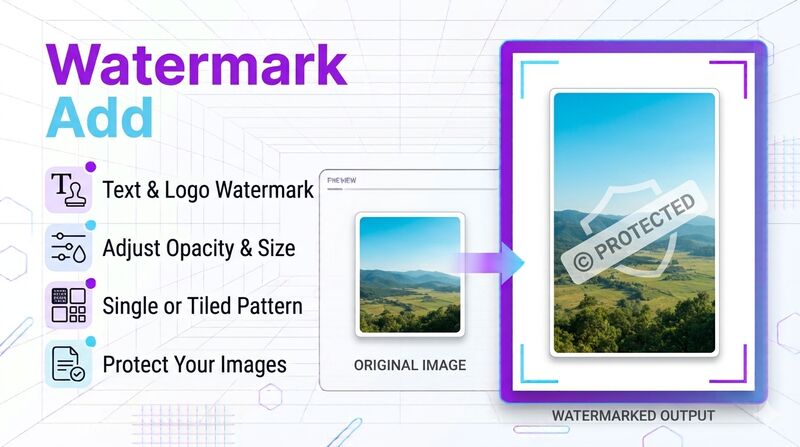
Apply custom text labels or logo stamps across single, first, or tiled multi-page PDFs with anchor placement, opacity, angle slider, color swatches, and live canvas preview.
Click to expand our step-by-step tutorial (Optional — tool is already available above)
Click on any of the 6 integrated toolbar tabs: Compress, Resize, Crop, Convert, Adjust Color, or PDF Watermark.
Click the upload zone or drag and drop your file directly onto the editor canvas. The preview viewport will immediately render your uploaded media.
Configure tool settings in the right control panel. For instance, enter a Target Maximum File Size (KB), specify dimensions in millimeters, or drag the 8-handle crop container.
Click the main action button (e.g. "Compress Image", "Apply Dimensions", or "Execute Crop"). The preview canvas updates immediately, and the status bar displays output dimensions and file size.
Use "↩ Undo" (Ctrl+Z) or "↪ Redo" (Ctrl+Y) to step backward or forward through changes. If you need 4-corner perspective warping or photocopy thresholding, click "Send to Document Studio".
Click "Download Image" or "Download Optimized PDF" to save the finished, high-quality file directly to your device's downloads folder.
Answers to common questions regarding target KB compression, dimensions, and image formatting.
Our compression tool performs iterative quality optimization directly in the browser. It preserves original pixel dimensions whenever practical, lowering file size through quality tuning first, and gently scales pixels only when required to fit smaller KB targets.
Yes. The Resize tool includes unit selectors for Pixels (px), Inches (in), Centimeters (cm), and Millimeters (mm) with standard 300 DPI conversion, making it simple to create 35 × 45 mm passport photos or 3.5 × 1.5 cm signatures.
Both Images to PDF and PDF Optimizer are integrated inside Document Studio. Switch to the Images to PDF or PDF Optimizer tab at the top of Document Studio to compile and optimize PDFs.
No. When "Document & Text Protection" is enabled in Document Studio's PDF Optimizer, a 60% quality floor is enforced so characters and fine handwriting remain crisp and legible while reducing file size.
Because core image processing runs locally in your browser memory, there are no server-side upload queues or tool watermarks added to exported files. Practical file size handling depends on your device's available RAM and browser performance.
Discover other free browser utilities available on SMART VLE TOOL.
Transform mobile camera photos of contracts, certificates, and notes into clean, perspective-corrected A4 scans with shadow removal and B/W photocopier filters.
Frame front and back ID cards into standard ISO/IEC 7810 ID-1 dimensions with cutting trim marks for single or dual card printing on A4 sheets.
Free online tools for document scanning, ID card printing, passport photo making and image editing.
SMART VLE TOOL started with a simple idea based on everyday document and photo-related work.
While handling regular tasks such as ID card printing, document scanning and image compression, we realised that these small jobs often require extra time and effort. Preparing images in the correct size, cleaning scanned documents and arranging ID cards for printing can be difficult without suitable tools.
This gave us the idea to create a simple online platform where people can find useful tools for their everyday document and image requirements.
Instead of depending on different software for every small task, users can access several practical tools in one place.
Our aim is to make everyday document and image-related tasks easier, quicker and more convenient.
We focus on practical features that people regularly need for printing, online applications, educational work and office requirements.
We want our tools to be simple enough for regular users, including people who may not have advanced computer knowledge.
SMART VLE TOOL provides a practical set of browser-based utilities:
Our tools are useful for:
We believe everyday digital work should not be unnecessarily complicated.
Our focus is on providing useful features in a simple interface so visitors can complete common document and photo-related tasks without struggling with complicated software.
We continue to improve the website and welcome genuine suggestions and feedback from users.
Thank you for visiting SMART VLE TOOL.
SMART VLE TOOL
Website: https://smartvletool.in
Have questions, suggestions, or technical feedback? Reach out to our team.
We welcome feedback from users, students, office professionals, and developers. Let us know how we can improve SMART VLE TOOL tools or report any issues you encounter.
SMART VLE TOOL ("We", "Us", "Our", or "Platform") is committed to protecting your privacy, data security, and transparency. This Privacy Policy details how SMART VLE TOOL handles technical data, local browser storage, and third-party advertising services when you visit or use our online document, image, and PDF editing utilities.
This Privacy Policy applies to all pages, features, and studio tools hosted under SMART VLE TOOL, including Document Studio, ID Card Studio, Image Editor, and Passport Photo Maker.
Files selected for browser-based editing are processed locally within your web browser. The website does not collect uploaded file metadata for temporary backend processing sessions. Standard technical information may be processed by the web hosting server, and contact form or support details are handled when you choose to contact us.
SMART VLE TOOL operates without mandatory user registration or account sign-in. Depending on how you interact with the Platform:
Technical information is used to:
Core image and document editing operations on SMART VLE TOOL are performed locally in your web browser using HTML5 Canvas, WebGL, OpenCV.js WebAssembly, and PDF libraries:
You have complete control over your local browser data. Below is a live summary of data currently stored in your browser's IndexedDB by SMART VLE TOOL. You can permanently erase all stored projects, cached documents, and ID sets at any time.
Projects and working data saved in your browser remain under your device control. If you use a shared or public device (such as a cyber café or school computer) to edit sensitive identity documents, please use the "Clear All Saved Data & Reset Studio" button above or clear your browser history/cache before closing your session.
SMART VLE TOOL may display advertisements served by Google AdSense and its advertising partners when advertising is active on the site:
| Data Category | Storage Location | Retention Period |
|---|---|---|
| Browser Studio Projects | Device IndexedDB & LocalStorage | Until cleared by user in-app or browser settings |
| Technical Server Logs | Hosting Provider Ephemeral Logs | Standard short-term hosting retention schedule |
| Support Emails | Support Mailbox | Retained as necessary to resolve user inquiry |
For questions regarding this Privacy Policy or data control options, please reach out to us at:
By accessing, browsing, or utilizing any website, tool, or service provided by SMART VLE TOOL ("Platform", "We", "Us", or "Our"), you ("User") explicitly acknowledge that you have read, understood, and agreed to be legally bound by these Terms and Conditions ("Terms"). If you do not agree to these Terms in their entirety, you must immediately cease accessing and using the Platform.
The Platform is accessible globally for general utility purposes. By using SMART VLE TOOL, you represent and warrant that you are at least 18 years of age, or have reached the legal age of majority in your jurisdiction, or possess valid legal parental or guardian consent to use this site. If you are under the applicable age threshold, you may only use this Platform under direct adult supervision.
SMART VLE TOOL provides a specialized suite of browser-based digital document and image editing utilities, where core editing operations run locally within your web browser:
You are granted a non-exclusive, non-transferable, revocable license to access and use SMART VLE TOOL strictly for lawful personal, educational, professional, administrative, and legitimate document-formatting purposes, subject to these Terms and applicable laws.
You are strictly prohibited from using SMART VLE TOOL for any unlawful, deceptive, or harmful activity. Prohibited activities explicitly include, but are not limited to:
You retain full legal responsibility for all files, photographs, documents, text, and graphics opened or processed through SMART VLE TOOL. You represent and warrant that:
Disclaimer of Content Verification: SMART VLE TOOL does not verify, audit, inspect, or endorse the legal ownership, legal validity, or factual accuracy of any selected file or generated document. The Platform acts solely as a technical processing utility tool.
SMART VLE TOOL claims no ownership, copyright, or intellectual property rights over any documents, images, or PDFs loaded, processed, or exported by users. All rights to your original files and edited outputs remain exclusively with you or your licensors. All website design, branding, interface code, software scripts, logos, and custom graphics created by SMART VLE TOOL remain the exclusive property of SMART VLE TOOL.
Core image and document editing features process supported files locally within the user's web browser. The website may require an internet connection to load its pages, libraries and third-party resources. Users should review the Privacy Policy for details about technical information and contact form submissions.
SMART VLE TOOL may feature third-party advertisements delivered via Google AdSense or other advertising networks. Advertisers may use cookies, web beacons, and device identifiers to measure ad performance or serve personalized ads, subject to applicable consent settings. We do not provide advertising partners with access to your uploaded documents or processed files. The site may also contain links to external web sites; we assume no responsibility for third-party privacy practices or external website content.
SMART VLE TOOL is provided on an "AS IS" and "AS AVAILABLE" basis. While we aim to keep the platform reliable, we do not guarantee uninterrupted uptime, error-free operation, or compatibility with every web browser, hardware device, or operating system. An internet connection may be required to load website pages, third-party libraries, and external resources.
TO THE MAXIMUM EXTENT PERMITTED BY APPLICABLE LAW, SMART VLE TOOL DISCLAIMS ALL WARRANTIES, EXPRESS OR IMPLIED, INCLUDING BUT NOT LIMITED TO IMPLIED WARRANTIES OF MERCHANTABILITY, FITNESS FOR A PARTICULAR PURPOSE, ACCURACY, AND NON-INFRINGEMENT. WE DO NOT WARRANT THAT PROCESSED OUTPUTS WILL MEET SPECIFIC GOVERNMENTAL, LEGAL, OR FORMAL ADMISSION REQUIREMENTS.
TO THE FULLEST EXTENT PERMITTED BY APPLICABLE LAW, SMART VLE TOOL, ITS OPERATORS, AND AFFILIATES SHALL NOT BE LIABLE FOR ANY DIRECT, INDIRECT, INCIDENTAL, CONSEQUENTIAL, SPECIAL, OR PUNITIVE DAMAGES, INCLUDING BUT NOT LIMITED TO LOSS OF DATA, DOCUMENT REJECTION BY THIRD PARTIES, PRINTING COST LOSSES, OR BUSINESS INTERRUPTION ARISING FROM YOUR USE OR INABILITY TO USE THE PLATFORM.
We reserve the right, in our sole discretion and without prior notice, to restrict, suspend, or terminate access to SMART VLE TOOL for any user who violates these Terms, engages in fraudulent activity, or attempts to compromise platform security or system availability.
We reserve the right to revise, update, or modify these Terms at any time. Any changes will be posted directly on this page with an updated revision date. Your continued use of SMART VLE TOOL after revised Terms are published constitutes your binding acceptance of the updated Terms.
These Terms shall be governed by and construed in accordance with applicable laws, taking account of relevant Indian legal frameworks including the Information Technology Act, 2000 and applicable Rules, the Digital Personal Data Protection Act, 2023, the Copyright Act, 1957, and the Consumer Protection Act, 2019. For international users, mandatory consumer protection and privacy laws applicable in your jurisdiction shall be respected without depriving Indian users of statutory protections under Indian law.
If you have questions, feedback, copyright notices, or legal grievances regarding SMART VLE TOOL or these Terms and Conditions, please contact our designated support and grievance address at:
SMART VLE TOOL respects intellectual property rights. Users retain full ownership and copyright over any content, images, or documents they process through our tools. Core image and document editing operations are performed locally in your web browser, and SMART VLE TOOL does not claim ownership or host your working files.
Users must ensure they possess the necessary rights or permissions for all images and materials they edit. Using our tools to remove watermarks, copyright notices, or unauthorized proprietary marks from protected works without permission is strictly prohibited.
If you believe that any material on our website infringes upon your copyright, please submit a written notification including:
Direct all copyright inquiries to: customer@smartvletool.in.
All tools, document enhancers, and image processing features on SMART VLE TOOL are provided for general educational, personal, and commercial utility purposes on an "as is" and "as available" basis.
While our algorithms use advanced OpenCV perspective warping, adaptive thresholding, and unsharp masking, the quality of the final enhanced document is inherently constrained by the quality, lighting, and resolution of your source photograph. We do not guarantee perfect reconstruction of unreadable or damaged source files.
SMART VLE TOOL is an independent software utility platform. We are NOT affiliated with, authorized by, endorsed by, or in any way officially connected with any government agency, passport office, national identity authority, or department.
Users must independently inspect and verify that edited documents, ID card prints, and PDFs satisfy the exact guidelines and specifications required by any receiving institution or authority before official submission.
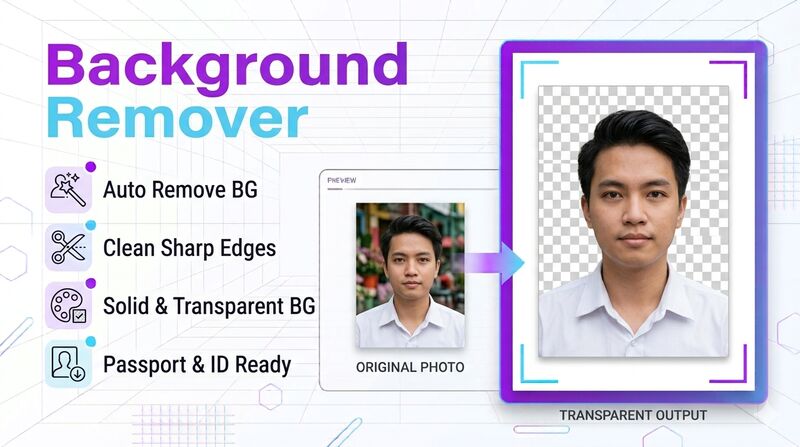
Remove background automatically, select professional background colors (Light Blue, White, Sky Blue, Beige), crop to standard passport sizes, and layout sheets for instant A4 printing.
Supports PNG, JPG, JPEG, WEBP — Local In-Browser Processing
Comprehensive guide to passport photo dimensions, background removal, tone & color calibration, and printable sheet layouts.
Passport Photo Maker is a client-side portrait studio engineered to crop, clean, retouch, and arrange passport, visa, stamp, and ID photographs directly inside your browser. It maintains a full-resolution master bitmap pipeline decoupled from physical print millimeters, supports in-browser portrait background removal with studio preset or custom backdrop colors, offers subject-only tone and RGB/CMY color balance sliders, and generates calibrated A4 and 4 × 6 inch print sheets with optional cut lines.
The page or tool URL you requested (/) does not exist on SMART VLE TOOL.
Click "Click or Drop Files" in the sidebar to upload.
Live perspective-corrected and enhanced document will render here.
Supports PNG, JPG, JPEG, WEBP, BMP, TIFF, SVG
Upload images to compile into PDF
Upload PDF & image files to optimize, merge, or reorder
Select or drag a PDF document to apply custom text or logo watermarks directly in your browser.
Preparing PDF Pages...
Rendering live canvas workbench
Specify a file name and format before downloading: